Instructions
How to Use Your Tour Caddy
Watch the video above, then use this simple guide as your on-range cheat sheet.
Tour Caddy at a Glance
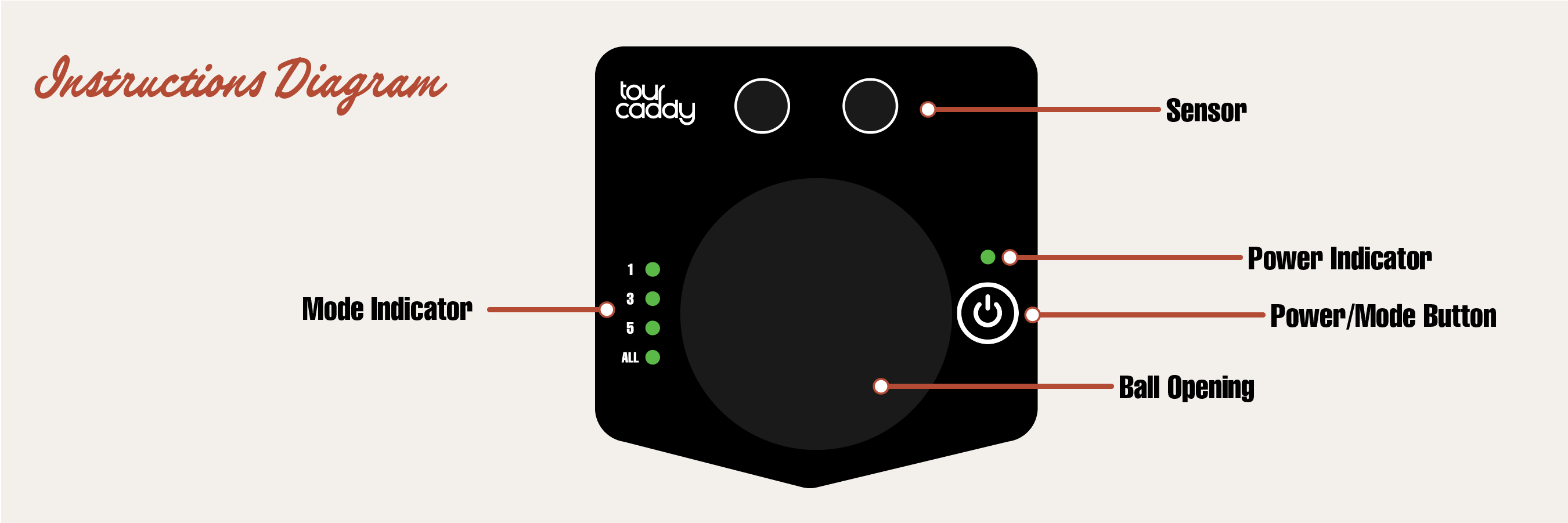
Everything is controlled with one button and a simple set of lights on the front.
- Sensor – Wave your club in front to get balls.
- Ball opening – Where the balls come out.
- Power / Mode button – Turns the unit on and off, and selects how many balls you get.
- Row of 4 lights – Shows your ball mode and a few status alerts.
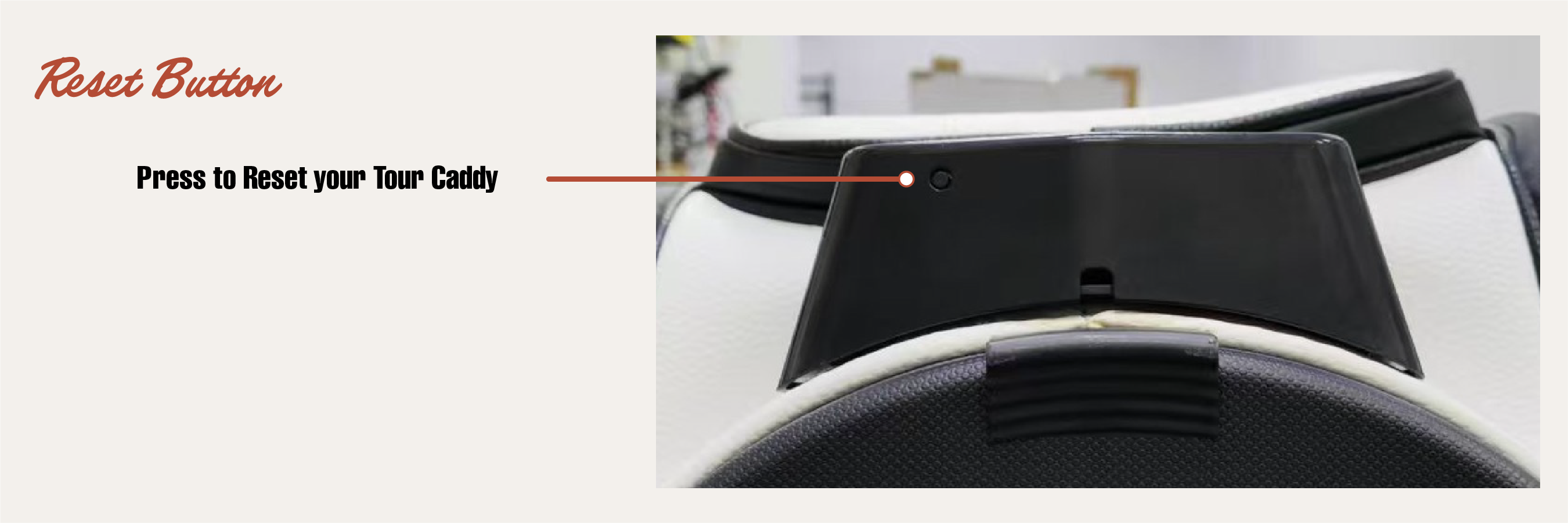
- Reset button – If the unit is acting up, there’s a reset button on the underside of the sensor face.
Quick Start
- Set up your Tour Caddy. Place it in front of your mat and fill it with balls.
- Turn it on. Press the button once. A light will come on to show it’s awake.
- Pick your ball mode. Press the button again to cycle through:
- 1 Ball Mode – For focused, one-at-a-time practice.
- 3 Ball Mode – A small stack ready for faster reps.
- 5 Ball Mode – A bigger pile when you want to rip through a set.
- All Dispense Mode – Hold down the power button until the lights are flashing. This will dispense all golf balls until the unit is empty.
- Confirm your mode. Wave your club in front of the sensor once. The lights will stop “cycling” and settle on the mode you chose.
- Start hitting. Each time you wave your club in front of the sensor, Tour Caddy drops your selected number of balls.
Ball Modes & Lights
The front lights make it easy to see how many balls you’ll get with each wave of the club.
| Ball Mode | What You’ll See | What It Does |
|---|---|---|
| 1 Ball Mode | First light highlighted | Drops 1 ball each time you wave your club. |
| 3 Ball Mode | First 3 lights highlighted | Drops 3 balls for a small pile at your feet. |
| 5 Ball Mode | All 4 lights highlighted (to show maximum mode) | Drops 5 balls for a bigger pile when you’re in a groove. |
| All Dispense Mode | Lights flashing | Dispenses all golf balls until the unit is empty. |
After balls are released, the sensor pauses briefly so it doesn’t keep dropping balls while you’re swinging.
Power & Charging
Turning On & Off
- Turn on: Press the button once. A light will come on.
- Turn off: Click the button to cycle past 5 Ball Mode and it will turn off (keep cycling through the modes).
- Auto sleep: If you forget to turn it off, Tour Caddy will eventually put itself to sleep to save battery.
Charging
Important
Tour Caddy requires a USB-A to USB-C cable for charging (not included). Please note that USB-C to USB-C cables are currently not compatible, but this will be fixed on our next production run!
- The charging input is inside the front pocket zipper.
- A light will show that it’s charging.
- When it’s fully charged, the light will turn solid.
- Use it unplugged on the range once it’s charged.
Low Battery
- If you see a red or “warning” light when you turn it on, it’s time to charge.
- If it won’t stay on, the battery is too low—charge it fully and try again.
Troubleshooting
- If you’re having trouble, press the reset button on the underside of the sensor face.
Quick Tips
- Wave your club calmly in front of the sensor—no need to swing hard at it.
- Make sure there are always balls in the hopper so Tour Caddy can feed properly.
- Pick 1 Ball Mode when you’re working on precision; use 3 or 5 balls when you’re grooving a feel.